From bundle to defensible report, step by step.
Iuvara sits between the records and the report. It takes on the reading and the assembly. You keep the reasoning and the opinion.
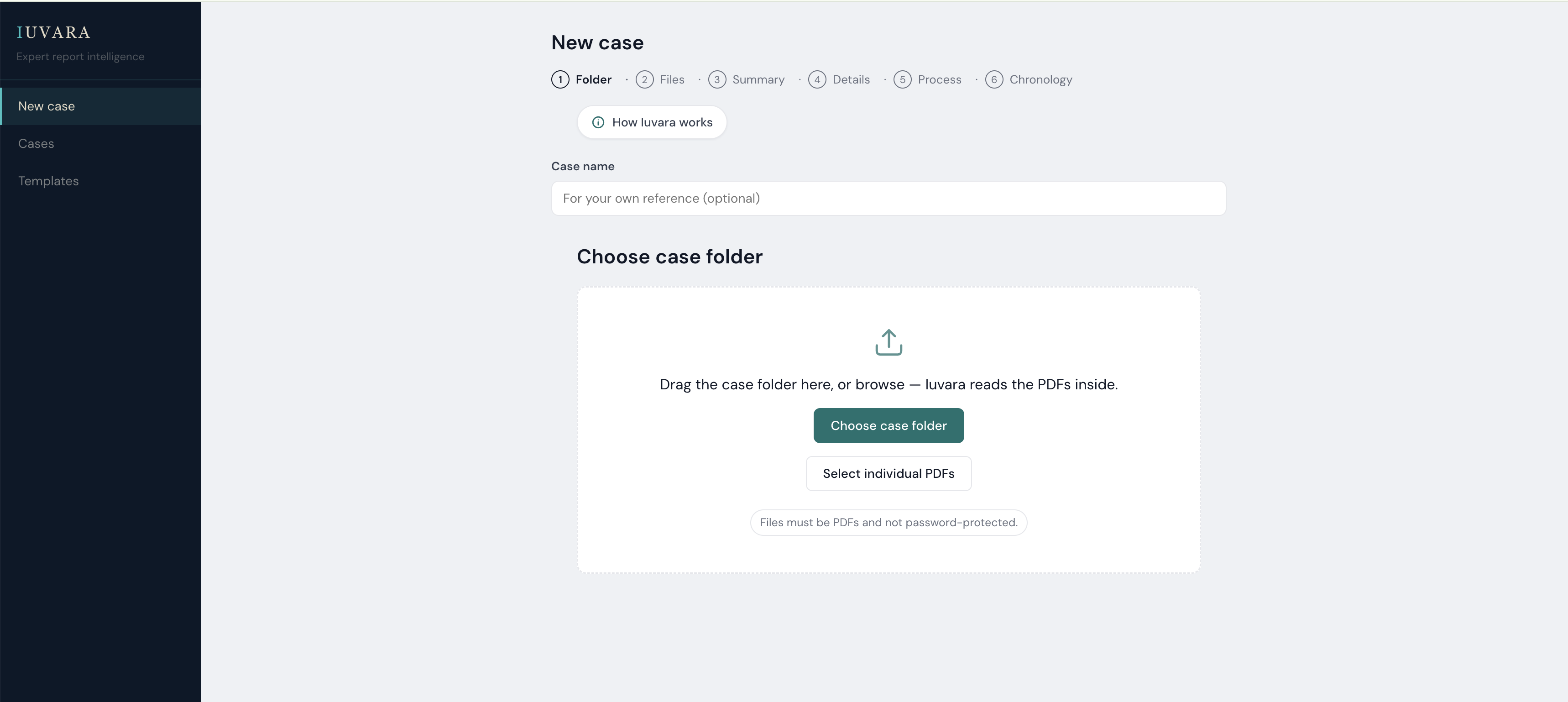
Add the case and upload the bundle.
Instructions, records, correspondence: however many pages, in the order they arrived. Nothing needs to be sorted or renamed first.
Iuvara reads every page and builds the chronology.
It works through the whole bundle and sets out what the records say, in date order, with each entry linked to the page it came from.
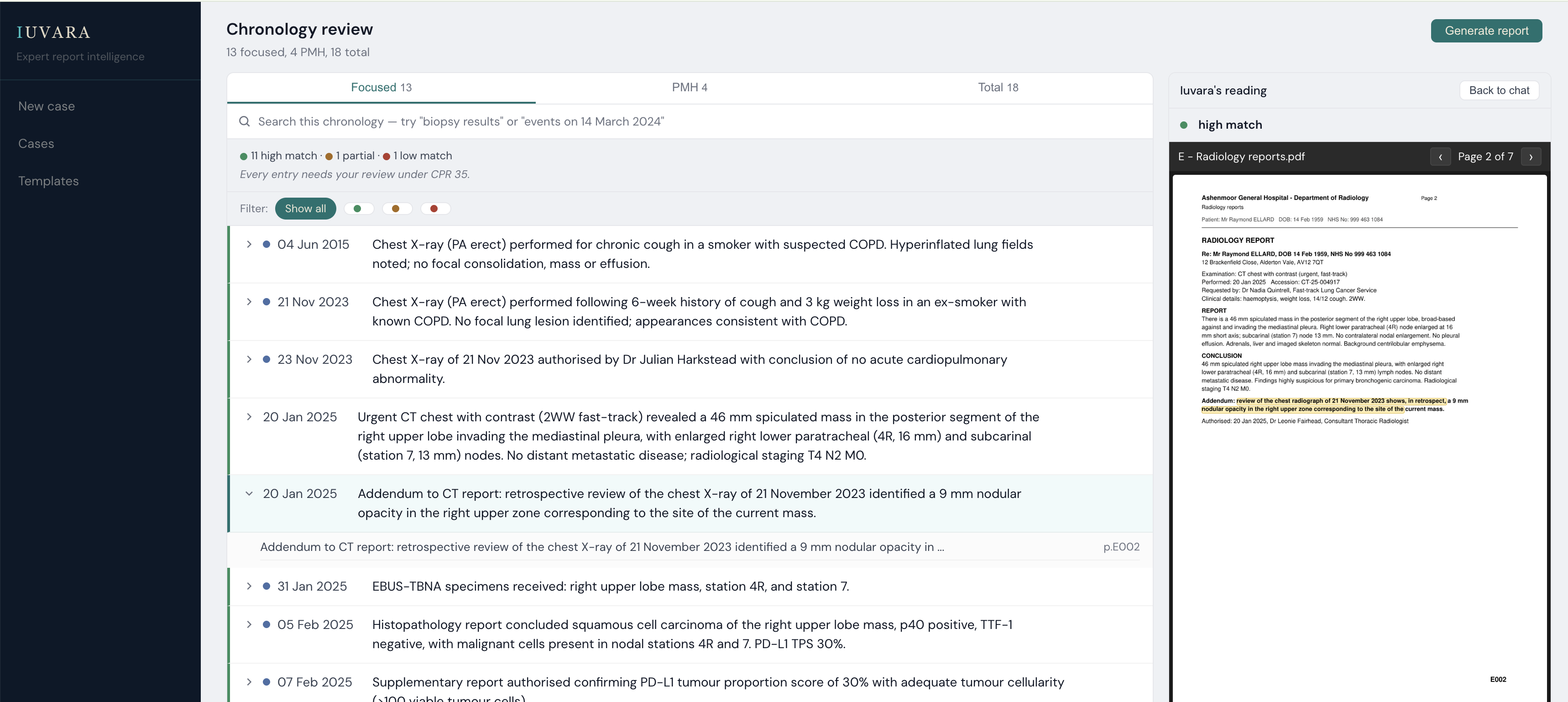
Illustrative, using a synthetic case. No patient data.
You converse with the records.
Ask the bundle a question and read the answer against its source. Every fact is one click from the page it rests on, so checking replaces hunting.
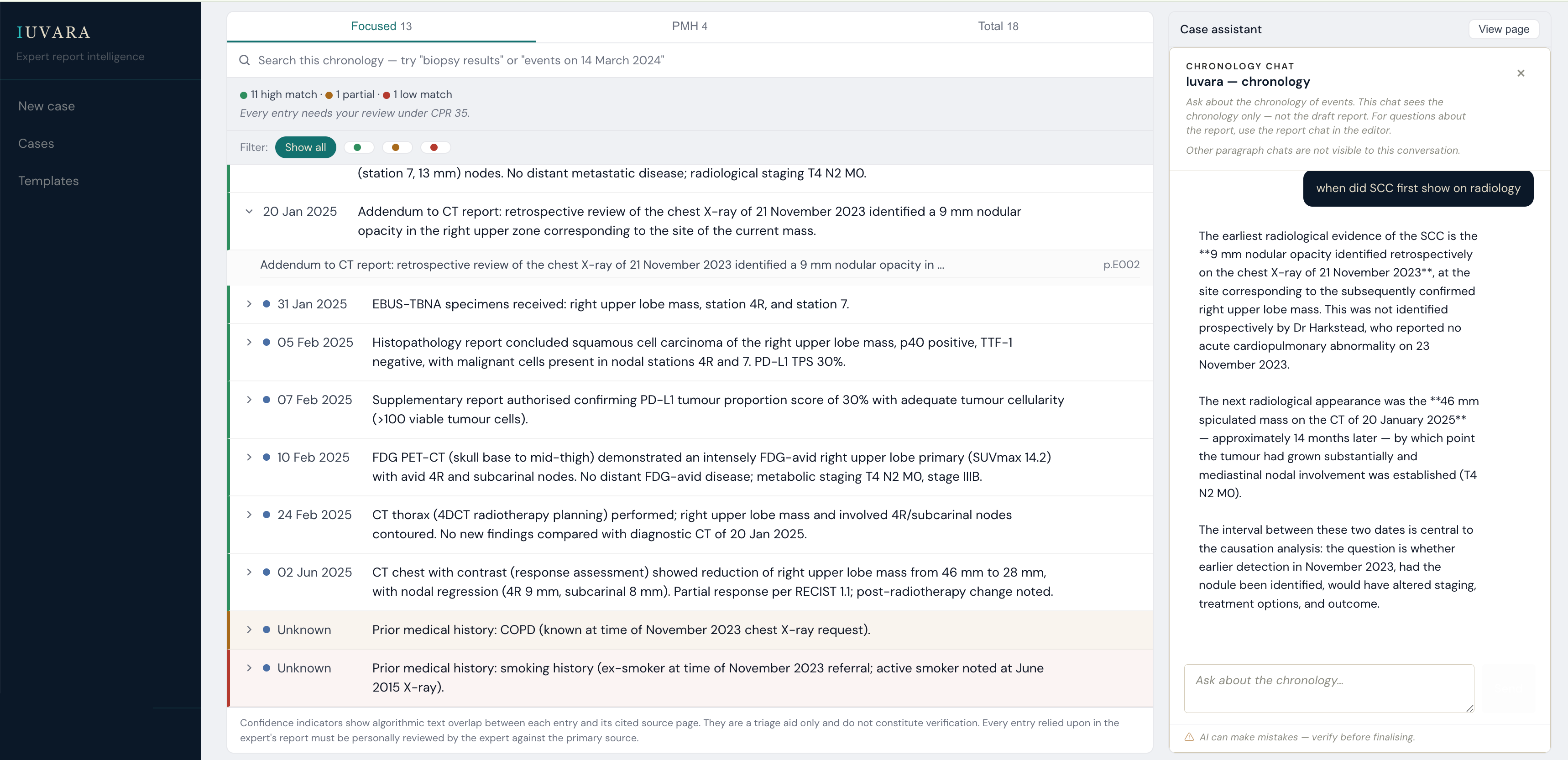
Illustrative, using a synthetic case. No patient data.
The report is written in the editor.
Iuvara assembles a scaffold in your style. You write the opinion. Numbering, cross-references and citations look after themselves as you work.
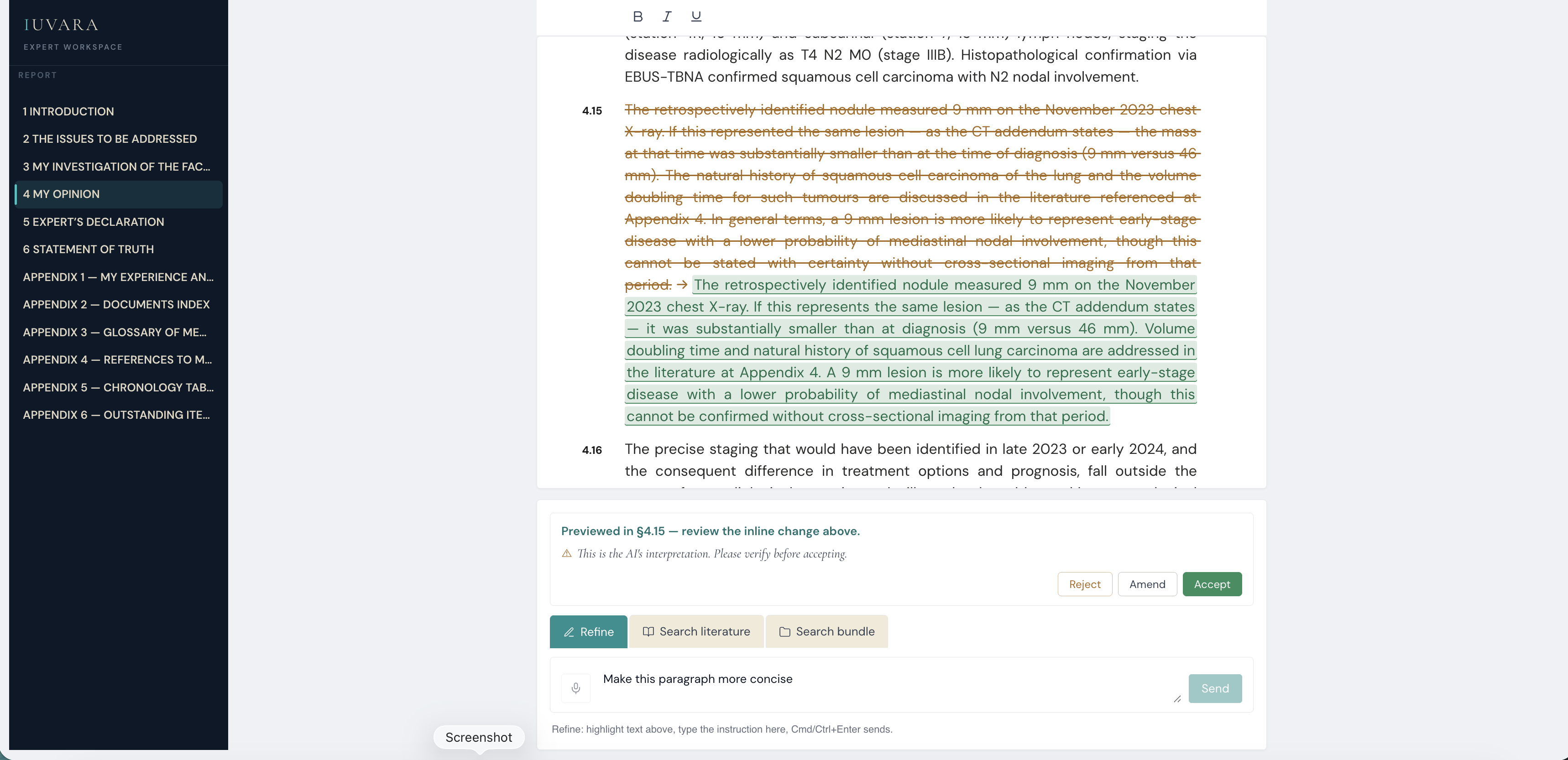
Illustrative, using a synthetic case. No patient data.
Finalise with the disclosure attached.
Every report carries an AI statement generated from the record of the work, compliant with the Academy of Experts' guidance on the use of AI by experts. If you are asked how the report was produced, the answer is already in the bundle.
What Iuvara does not do.
It does not form the opinion. The tool assembles the material; you decide what it means.
It does not send your records out of region. All processing stays in the UK or EU, encrypted and access-controlled.
It is not a black box. Every AI-attributed passage carries its prompt, model and source page, available before signoff.